

Most visitors decide whether to trust a business website within a few seconds, long before they read a single sentence of copy. Trust signals are the specific, visible details — real contact information, genuine proof from past customers, clear policies, a site that works properly — that answer the unspoken question “is this safe to deal with?” before a visitor ever fills out a form. Get them right and more of your traffic turns into inquiries; get them wrong, and visitors leave quietly, with no complaint and no second chance.
Why Trust Signals Matter More Than They Look
A visitor who doesn’t trust a website rarely tells you why. There’s no error message, no bounce notification explaining the decision — they just leave, and the only thing you see on the other end is a lower conversion rate than your traffic numbers suggest you should have. For a small or growing business competing against bigger, more established names, this gap is usually a trust gap, not a traffic gap.
The fix isn’t a complete redesign in most cases. It’s identifying which specific signals are missing or weak, and adding the ones that actually match what the visitor is risking by contacting you.
The Trust Signals That Actually Move the Needle
Not every trust signal carries equal weight. The ones below consistently affect whether a visitor takes the next step.
1. Proof That Matches the Size of the Decision
A newsletter signup needs almost no proof. A service inquiry or purchase needs real evidence that someone else took the same risk and it worked out. The strongest version of this is a specific testimonial — one that names the problem, the result, and ideally the person or business behind it — rather than a vague line like “great service, highly recommend.” Case studies, before/after work, and client logos do the same job for businesses that sell to other businesses or want to show actual output rather than a quote.
2. Basic Credibility Fundamentals
Before a visitor evaluates anything else, they’re unconsciously checking for signs that a business is real and reachable: a working phone number, an actual address or service area, a professional email on your own domain rather than a free consumer address, and an About page with real people instead of stock photography and generic mission language. These cost nothing to fix and are often the first thing missing from a site that otherwise looks polished.
3. Security and Policy Clarity
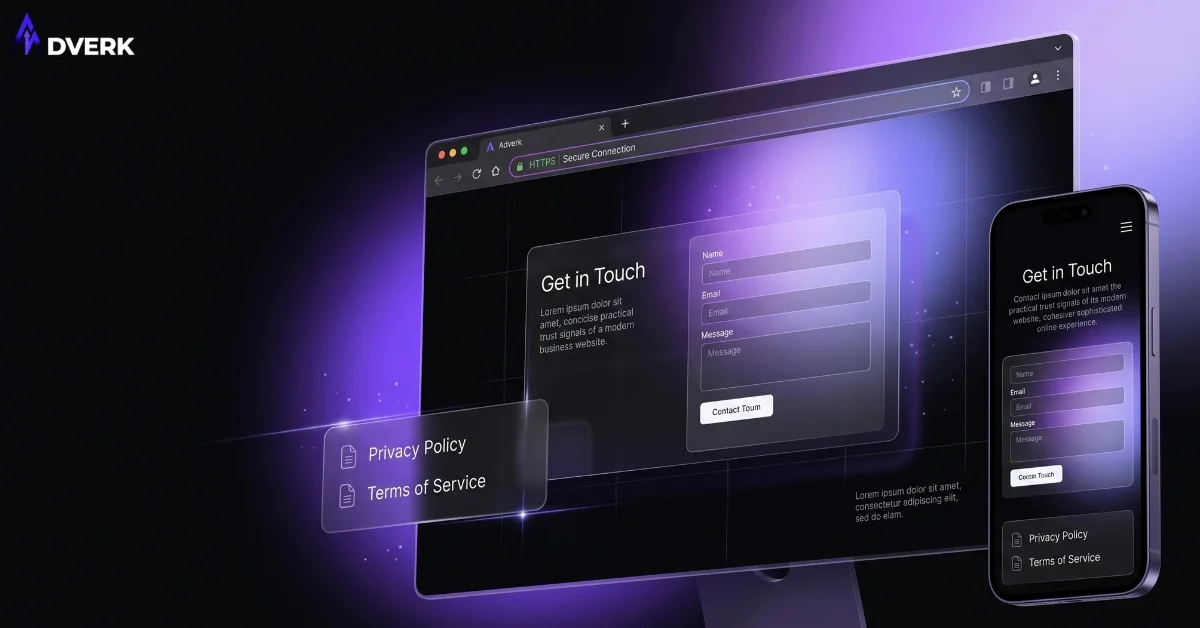
HTTPS is the baseline now, not a differentiator — browsers flag the absence of it automatically, so having it just avoids an active red flag rather than creating trust on its own. What still matters is what surrounds it: a visible, specific privacy policy instead of a placeholder page, clear terms for refunds, delivery, or service scope, and a contact or checkout form that only asks for information the interaction actually requires. Asking for a phone number, company size, and budget range before a visitor has even read your pricing is a common, avoidable friction point.
4. Design and Technical Consistency
Inconsistent fonts, colors, or layout between your homepage, service pages, and social profiles read as unprofessional even when the underlying business is solid — it’s the same reason a business with mismatched stationery and social templates feels less credible than one with a consistent visual identity. The same applies to technical polish: a page that loads slowly, breaks on mobile, or has a form that silently fails costs you the visitor before your trust signals even get a chance to work. If your site is already showing some of these problems, it’s worth checking the broader list in 11 signs your website needs a redesign to see whether this is a targeted fix or part of a bigger pattern.
Trust Signals That Look Impressive but Don’t Work
Some common additions actually hurt more than they help once visitors see through them:
- Fake urgency. Countdown timers or “only 2 left” messages that reset on every page load are easy to spot and damage credibility more than the missing urgency ever would.
- Vague scale claims. “Trusted by thousands” with no names, logos, or numbers reads as filler, not proof.
- Generic stock testimonials. A quote next to a stock headshot with no name or business reads as fabricated even when it isn’t, because it matches the pattern of every fake testimonial a visitor has already learned to ignore.
- Badge overload. Stacking five unfamiliar security or award badges in a row tends to read as compensating for something missing, rather than reinforcing credibility.
The common thread: specific, verifiable details build trust; generic claims and visual noise erode it, even when the underlying business is genuinely trustworthy.
Where Trust Signals Actually Belong
Placement matters as much as content. A testimonial buried in a footer does almost nothing; the same testimonial placed right after a pricing section or next to a call-to-action button directly supports the decision the visitor is making at that moment. Homepages benefit from a mix — a client logo row, one strong testimonial, and visible contact details near the top. Service pages do better with proof specific to that service rather than a generic, reused quote. Landing pages built for a single action need the tightest pairing of all: headline, one clear benefit, a trust signal placed right next to the call-to-action, and nothing else competing for attention — the full mechanics of that pairing are covered in a landing page built to convert.
A Quick Self-Audit
Before deciding this needs a developer, run through a short check yourself:
- Can a new visitor find your phone number or address in under 5 seconds without scrolling?
- Does at least one testimonial or case study name a real person, business, or specific result?
- Does your contact or inquiry form ask for anything beyond what that first conversation actually needs?
- Do your homepage, service pages, and social profiles use the same logo, colors, and tone — or do they look like three different businesses?
- Does the site load quickly and work properly on a phone, not just on the desktop you built it on?
If most of these come back as “no,” the problem usually isn’t a lack of effort — it’s that trust signals were never treated as a deliberate part of the site, just an afterthought bolted onto the homepage. If the gaps go deeper than content fixes — outdated structure, a platform that’s hard to update, or a design that was never built around conversion — it may be worth understanding what a website redesign actually costs in Pakistan before committing to a direction, or how to choose a web development company in Pakistan if you’re bringing in outside help to fix it properly.
Frequently Asked Questions
Do trust signals really change how many leads a website gets?
Yes, in a measurable way. When a visitor can’t quickly tell whether a business is real, responsive, and good at what it does, most people leave rather than risk filling out a form or making a call. Trust signals remove that hesitation by giving visitors fast, concrete proof that someone else already took the risk and it worked out, which directly increases the number of people who complete an inquiry or purchase.
What’s the actual difference between a trust signal and a testimonial?
A testimonial is one specific type of trust signal, not the whole category. Trust signals include anything that reduces a visitor’s uncertainty, such as visible contact details, security indicators, clear policies, and consistent branding, while a testimonial is just the proof-from-a-past-customer piece of that larger set. A site can have strong trust signals even with very few testimonials if the other fundamentals are solid.
Can a brand-new business with no reviews yet still build trust signals?
Yes. Early-stage trust comes from fundamentals that don’t depend on history: a real phone number and address, a professional email on your own domain, a clear explanation of exactly what you do and for whom, and a site that loads fast and works properly on mobile. Reviews and testimonials can be added later as they genuinely come in; they should never be invented to fill the gap.
Does an SSL certificate matter, or is HTTPS alone enough?
Plain HTTPS is the baseline now, not a differentiator, since browsers flag non-secure sites automatically and most visitors won’t consciously notice padlock icons anymore. What still matters is what sits around the lock icon: a legitimate domain, a working contact page, and a checkout or form that doesn’t ask for more information than the interaction justifies.
How many trust signals should one page have before it starts feeling forced?
There’s no fixed number, but the signal has to match the size of the decision being asked of the visitor. A newsletter signup needs almost none, while a service inquiry or purchase benefits from two or three well-placed, specific ones, such as a real testimonial, a clear guarantee or policy, and visible contact information, rather than stacking five generic badges that start to read as compensating for something.
Does adding trust signals help SEO, or is it only about conversion?
It’s mostly a conversion lever, not a direct ranking factor, but the two are connected. Signals like consistent business information, clear policies, and genuine reviews support the same credibility signals search engines use to judge a page as trustworthy, so improving trust often improves both how many visitors convert and how the site is evaluated for quality.
If your website is already getting traffic but not enough of it turns into real inquiries, the issue is often fixable without a full rebuild — it usually comes down to a handful of missing or misplaced trust signals rather than a fundamental design problem. Get in touch with Adverk for a practical look at what’s actually holding your site back and what’s worth fixing first.