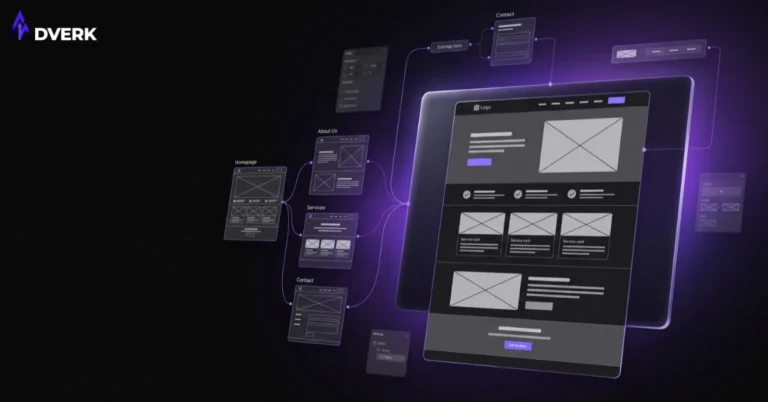

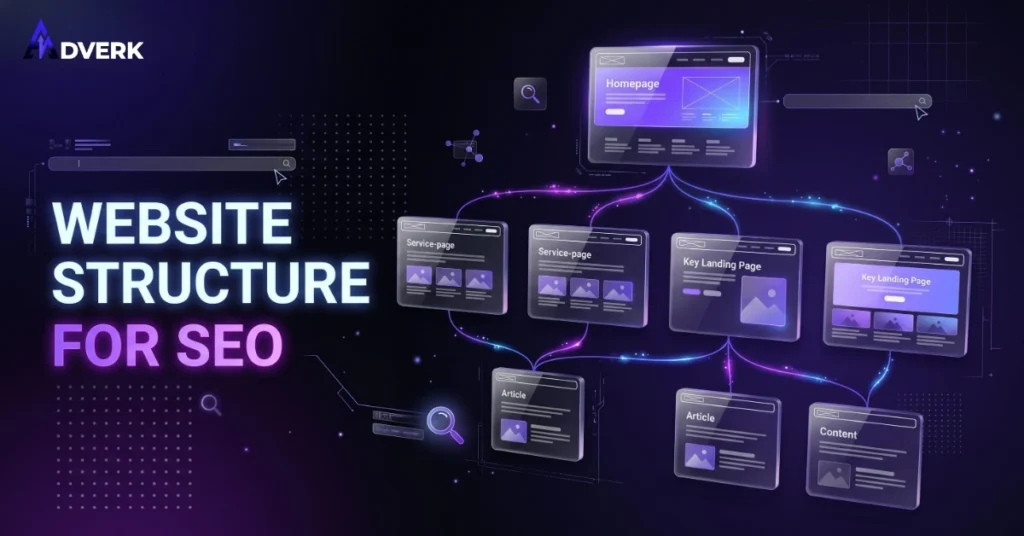
Website structure for SEO is how your pages, URLs, and internal links are organized so Google can find and understand every page on your site — and so visitors can get from your homepage to the page they actually need in a click or two. A site with good structure ranks more pages, passes authority between related pages instead of losing it, and converts better because nobody has to hunt for the service they came looking for. A site with poor structure usually has pages that never rank, service pages Google barely indexes, and visitors who leave before they find what they need.
This matters even more for a small business website than for a large one. A large site can absorb some structural waste because it has hundreds of backlinks and years of authority propping it up. A small business site in Pakistan competing for local or regional search terms doesn’t have that cushion — structure is often the difference between a service page that ranks on page one and one that never shows up at all.
What “Website Structure” Actually Covers
Website structure is three things working together: hierarchy (how pages are organized into parent and child relationships), URLs (how that hierarchy is expressed in the address bar), and internal links (how pages point to each other to help both visitors and search engines move between them). Navigation menus are the visible layer of structure, but the structure itself is the underlying map — the menu is just one way of reading that map.
Google crawls a site the way a visitor would: starting from the homepage, following links to other pages, and building a sense of which pages matter most based on how many internal links point to them and from where. A page with no internal links pointing to it — an orphan page — is much harder for Google to find, crawl regularly, or rank, even if the content on it is genuinely good.
Flat vs. Deep: How Many Clicks From the Homepage?
A flat structure keeps every important page within two or three clicks of the homepage. A deep structure buries pages under multiple layers of categories and subcategories before a visitor — or a crawler — reaches the actual content. For most small business sites, flatter is better: service pages, key blog content, and conversion pages (like a contact or booking page) should never be more than two clicks from the homepage.
The common mistake isn’t having categories; it’s nesting them for the sake of tidiness rather than usability. A services menu with Service > Sub-category > Sub-sub-category > actual page adds crawl depth and dilutes the authority that reaches the page at the bottom, with no real benefit to the visitor. If a category only contains one or two pages, it usually doesn’t need to exist as a separate layer.
URL Structure: Short, Readable, and Logical
A good URL tells both Google and a visitor what the page is about before they click. /web-development-services/ is clear. /services/category-2/page-id-4471/ is not. Three things matter most: keep URLs short and descriptive rather than stuffed with every keyword variant, keep the structure logical (a blog post lives under /blog/, a service lives under its own clean slug), and never change a published URL without a redirect once it has any search visibility — a changed URL with no redirect is a fast way to lose rankings a page already earned.
Avoid duplicate paths to the same content (a page reachable at two different URLs), avoid URL parameters for pages that should be static, and avoid mixing conventions (some pages with dates in the URL, others without, with no consistent pattern) — small inconsistencies like these add up to a site that’s harder for both Google and your own team to maintain.
Grouping Pages Into Topic Clusters

The strongest structures group content the way a visitor actually thinks about it: one core service page, surrounded by supporting blog content that goes deeper on specific questions related to that service, all cross-linked back to each other and to the service page. A digital marketing service page supported by individual posts on SEO pricing, Google Ads budgets, and social media strategy — each linking back to the service page and to each other where relevant — builds far more topical authority than the same posts published with no connection between them.
This is also where category and tag structure matters on a WordPress site specifically. Categories should map to your real service lines (Web Design, Web Development, Digital Marketing, Graphic Design, for example), not to arbitrary groupings, and a page should generally sit in one primary category rather than being scattered across several with no clear primary.
Internal Linking: The Connective Tissue
Internal links do two jobs: they help Google discover and understand the relationship between pages, and they help visitors move naturally from one page to the next step in their decision. A blog post that mentions a related service in passing but never links to it is a missed opportunity on both counts. The links that work best use descriptive anchor text (the actual words that are clickable) rather than generic text like “click here,” and they point to pages that are genuinely relevant to the sentence they sit in — not links added just to hit a count.
A quick, practical habit: every time you publish a new page, check two or three existing pages that already cover a related idea and add a natural link where one genuinely fits. Over time this builds a dense, relevant internal link structure without ever feeling forced to a reader.
Navigation and Menus: Don’t Make Anyone Guess
Your main navigation should reflect your actual structure, not a simplified version of it that hides pages Google can still find. If a page is genuinely important enough to rank for, it belongs somewhere a visitor can navigate to directly — not just reachable through a blog post link or a sitemap. Keep top-level menu items to the number a visitor can scan in a few seconds, use clear labels over clever ones, and make sure the mobile menu mirrors the desktop menu rather than quietly dropping items to save space.
Structure Mistakes That Quietly Hurt Rankings
A few patterns show up repeatedly on small business sites: pages that exist but have zero internal links pointing to them (true orphan pages, often old landing pages or one-off campaign pages); category or tag archive pages that are thin, near-duplicate, or indexed with almost no unique content; breadcrumbs that are missing or inconsistent, which removes a clear structural signal for both users and Google; and sitemaps that were never updated after a redesign, so they still reference pages that no longer exist or miss pages that do.
None of these are difficult to fix individually. The problem is usually that nobody is checking for them, since they don’t show up as an obvious visual issue the way a broken layout does — they quietly suppress rankings in the background instead.
A Simple Structure Audit You Can Run This Week
Start with a full list of your site’s URLs (your CMS or an XML sitemap will have this). Check how many clicks each important page is from the homepage, and flatten anything buried more than two or three levels deep. Look for orphan pages with no internal links pointing to them and add at least one relevant link to each. Scan your URLs for inconsistency — mixed slug formats, parameters on pages that should be static, duplicate paths — and clean up what you can without breaking existing links. Finally, check that your main navigation actually matches the pages you want to rank, not a trimmed-down version of your real site.
This structural audit complements the broader SEO checklist for small business websites we’ve covered separately — that checklist spans technical health, on-page content, local presence, and measurement, while structure is the one piece worth auditing on its own because it’s so easy to let drift as a site grows.
Frequently Asked Questions
How many clicks should a page be from the homepage for good SEO?
Two to three clicks is a reasonable target for any page you want to rank well, including service pages and your most important blog content. Pages buried deeper than that are harder for Google to crawl consistently and receive less of the authority that flows through your internal links. It’s a guideline rather than a strict rule — a large site with genuinely deep content may need more layers — but for most small business sites, flatter performs better.
Does changing my URL structure hurt my current rankings?
Changing a URL without setting up a proper redirect from the old address to the new one will cost you most or all of the ranking that URL had earned. If a URL change is genuinely necessary, set up a 301 redirect from the old URL to the new one before the old one goes offline, and update internal links to point to the new URL directly rather than relying on the redirect alone.
What’s the difference between site structure and a sitemap?
Site structure is the actual hierarchy and linking pattern of your pages — how they’re organized and connected. An XML sitemap is a file that lists your pages for search engines to reference; it’s a reflection of your structure, not a substitute for it. A clean XML sitemap on top of a confusing, poorly linked site structure won’t fix the underlying problem.
How many categories should a small business website have?
Enough to meaningfully group your content and no more. If a category only ever holds one or two pages, it’s usually adding a layer of depth without adding clarity, and that content is often better placed under a broader, more useful category. Most small business sites do well with a handful of categories that map directly to their core service lines.
Can I fix website structure without a full redesign?
In most cases, yes. Flattening navigation, fixing internal links, cleaning up inconsistent URLs where you can do so safely with redirects, and reorganizing categories are structural fixes that don’t require rebuilding the site visually. A full redesign becomes the better option when the structural problems are tied to deeper issues like the ones covered in our guide to signs your website needs a redesign, rather than just organization.
Does better website structure actually increase leads, or just rankings?
Both, and the two are connected. Better structure helps more of your pages rank, which brings in more visitors, but it also makes it easier for the visitors you already have to find your services and contact page without getting lost — which is usually the bigger, faster-to-see improvement. A visitor who can’t find your pricing or contact page within a couple of clicks often leaves before they ever become a lead, regardless of how they found your site.
Structure works best alongside the other fundamentals a visitor is judging in the same few seconds — clear navigation, visible trust signals, and a site that doesn’t quietly need a full overhaul to begin with. If your website’s pages are hard to find, poorly linked, or buried under menus that don’t reflect what you actually offer, that’s a structural problem worth fixing before you spend more on ads or content to drive traffic to it. Get in touch with Adverk for a practical look at your site’s structure and what’s actually worth fixing first.